Finished timeline params. This allowed us to finish the Dashboard links for the 3 metrics.
Fixed Total Supply display
Fixed database indexes for real-time ledgers.
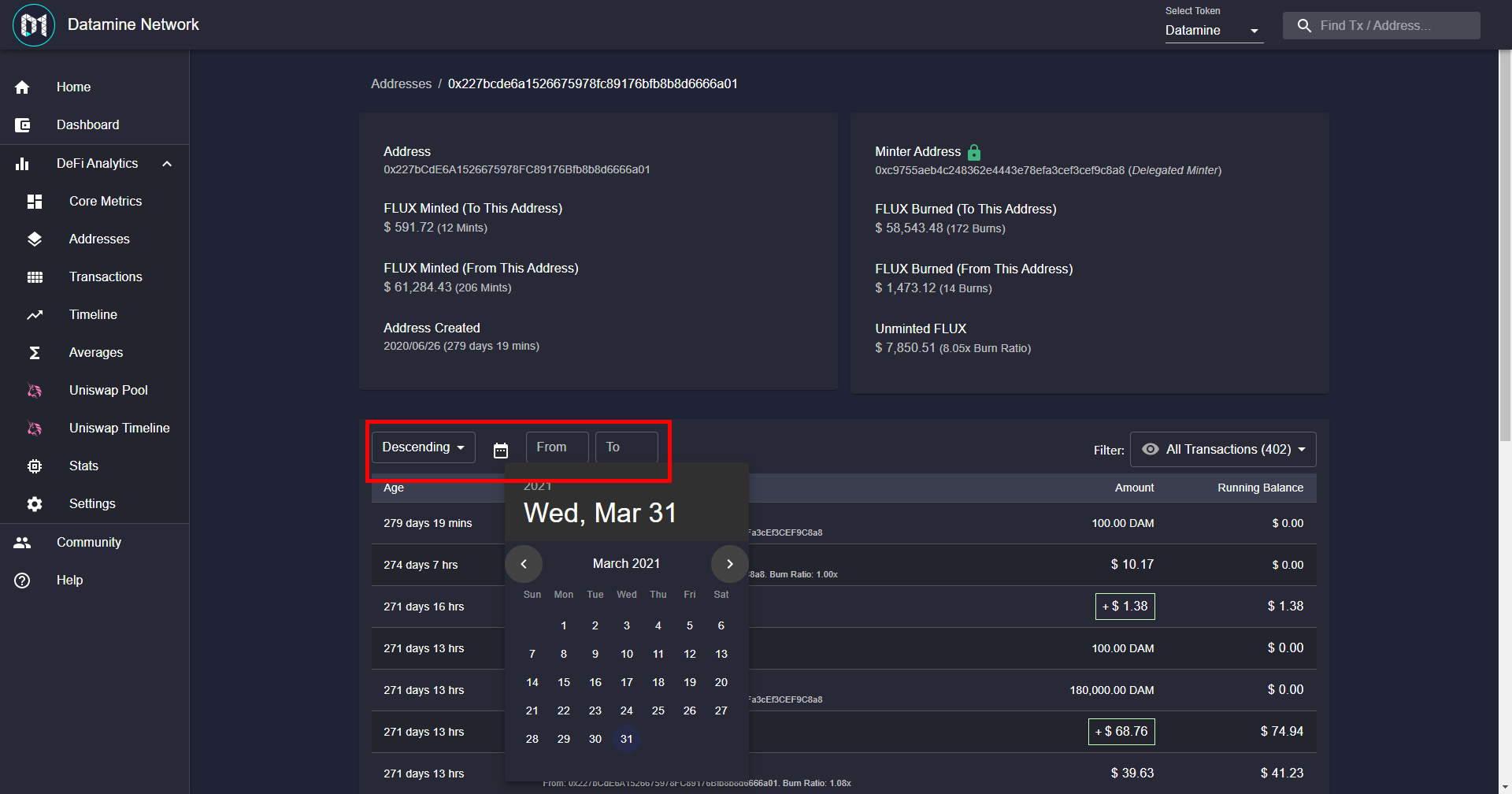
Turns out we were not using proper compound index on the ledgers all this time! This discovery also led me to investigate a good way to do time ranges but still use the compound index.
Found something that works great! So now we can finally look forward to date range for: Transactions (Global Ledger), Timeline and your personal ledger.
This in-depth ledger searching w/ dates is something I wanted in the original Carver Explorer but it was not feasible with the way that project was built.
Now with Datamine Network we can finally have this functionality. I've already tested it and it's works. Even if down the line this approach doesn't work for some reason we can utilize Datamine Network to re-shape the data how we want!
Should be able to show you guys something more concrete tomorrow. 🔥
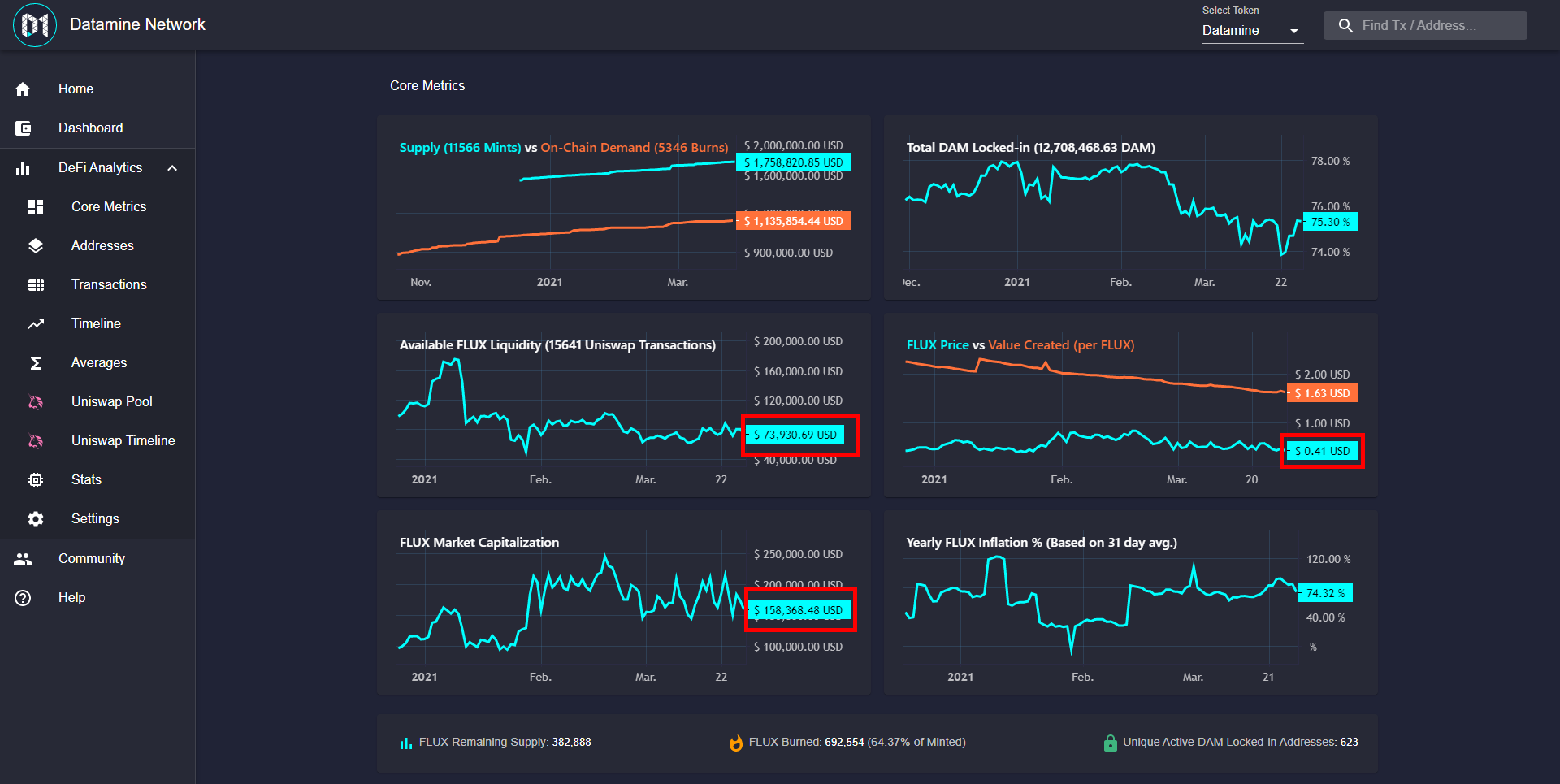
Got a couple of comments that the Dashboard prices did not update in real-time for a few charts. The reason this happened is that those specific charts use the historic prices so value is only computed on those actions.
What I've done instead is combine the best of both worlds (historic and real-time prices) to give you a more accurate picture of the market.
Now the current price, available liquidity and market cap will show the real-time prices for the current day.
This will go really well with when we enable real-time price streaming (So the prices update similar to how they do on the dashboard).
Still going through a bunch of small QOL updates so be sure to stay tuned for the next patch! Feels like we're getting through another round of polish for the masses to come. 🔥
Today I've been making some updates to the core network. Added ability to add page parameters.
Seems like a fairly straightforward thing, why is it necessary?
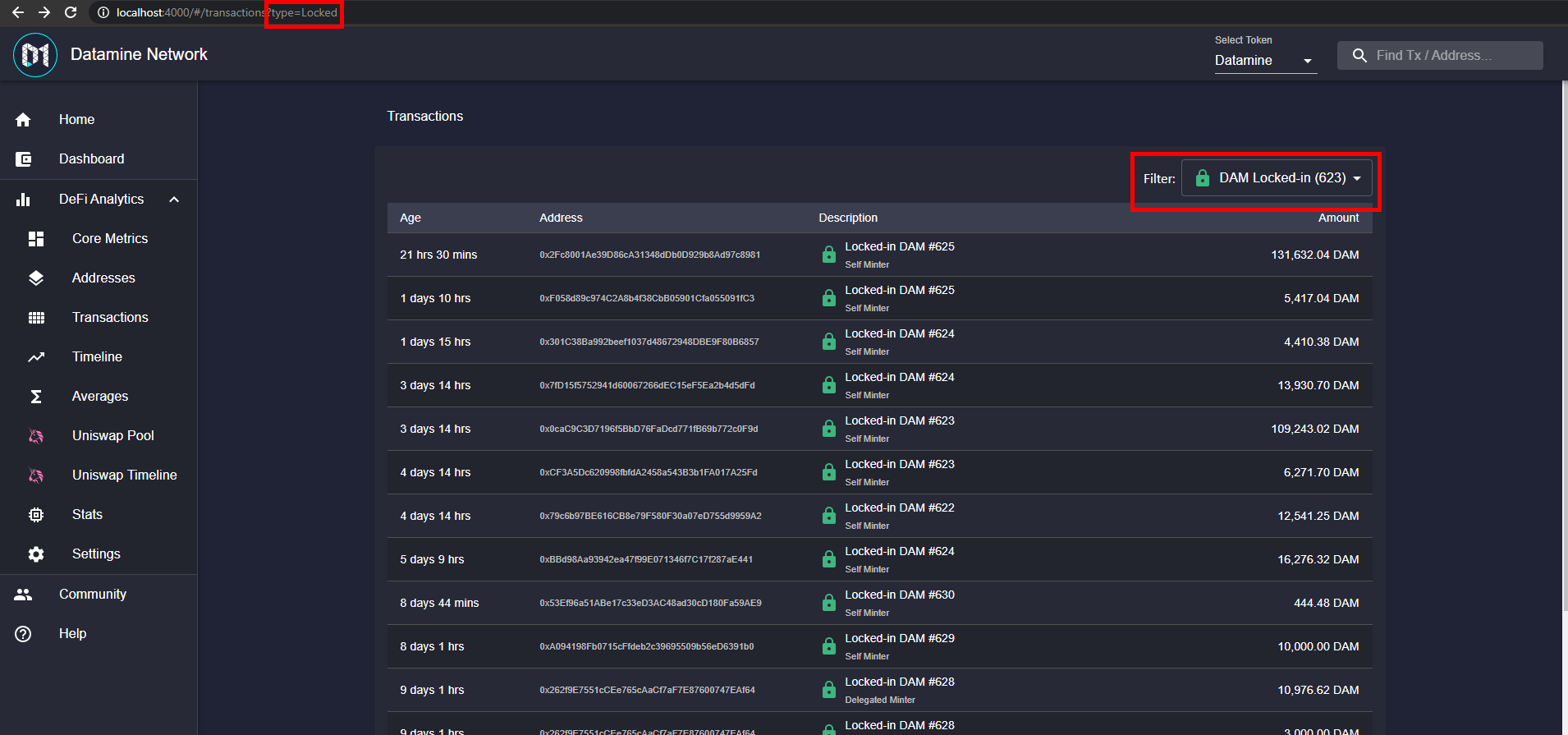
This will allow us to link the three core analytics (FLUX Remaining Supply, FLUX Burned and DAM Locked-in) to their appropriate page w/ correct filter selected
We can update some filters to also update url (that way you can copy and send the link to correct filter.
You can use browser navigation to navigate between filters (Pressing back for example)
Filtering works on specific address pages too (So you can filter to specific actions on a specific address)
For example you can use this to navigate to transactions page and filter for burned actions only.
Nice one to get out of the way as we continue to make various Quality Of Life improvements. 🔥
Thought you would find these two new features useful.
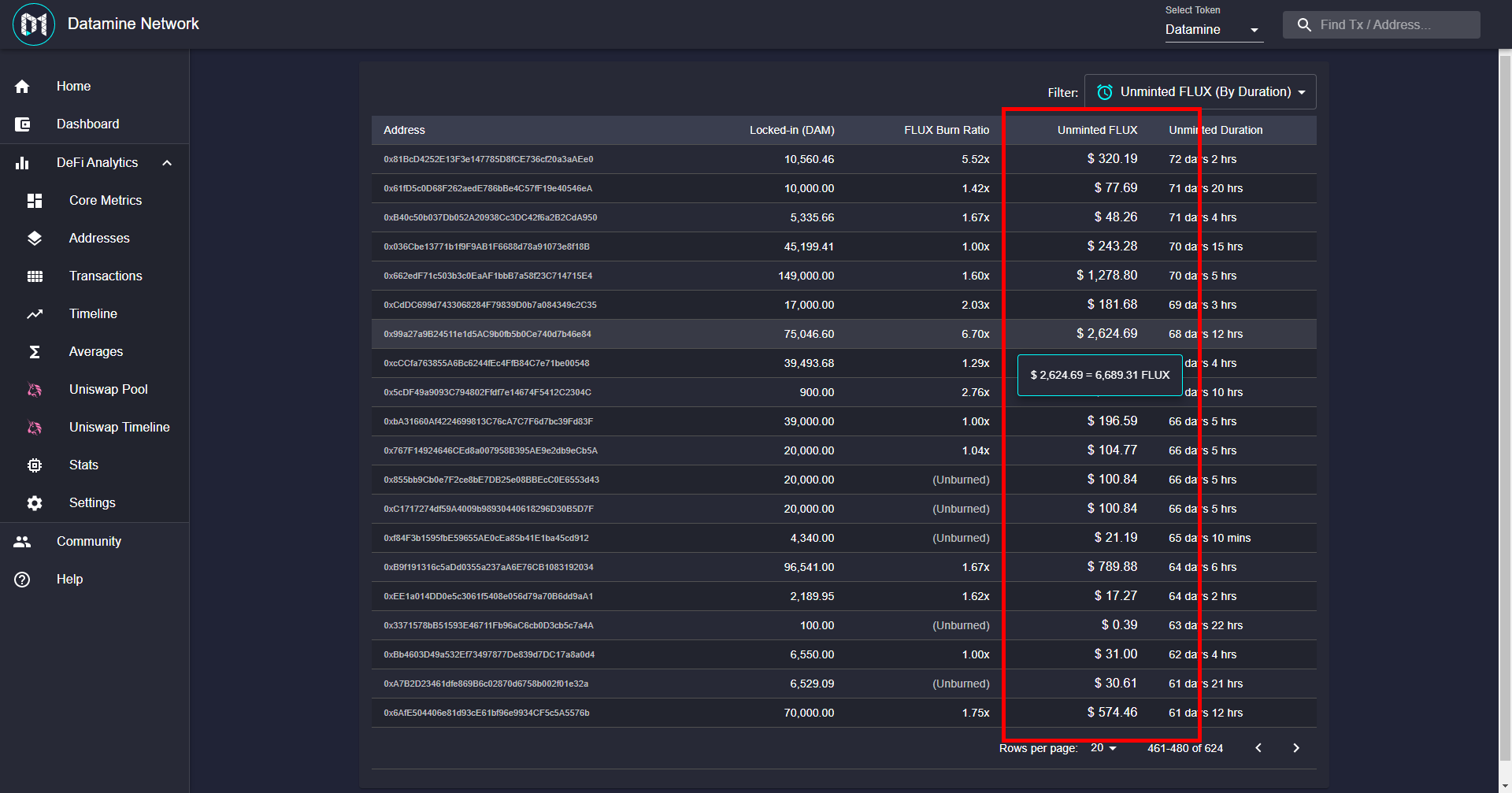
Per-Address Unminted FLUX Amount
Took the functionality we did in the Unminted FLUX from Timelines and moved it into a helper. That way we can get same unminted USD amount on the address page.
Didn't want to take up any extra screen real-estate. Ended up combining it together with the burn ratio.
Now you can click on any locked-in DAM address and see how much that address has in unminted FLUX.
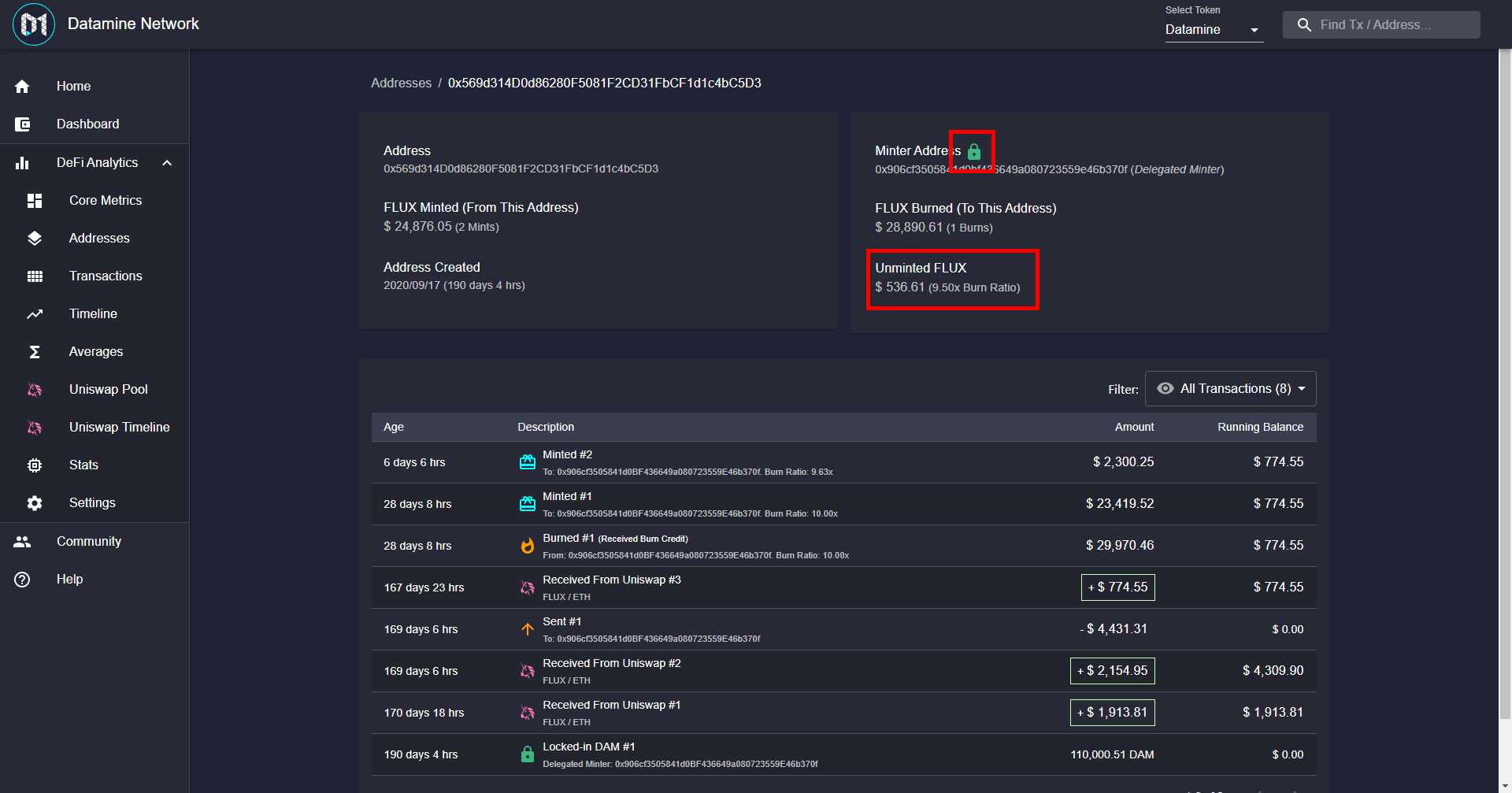
Locked/Unlocked Address Indicator
I always thought it was kind of hard to say if a specific address has any DAM locked-in. Added a green/red icon to indicate this. Just a minor Quality Of Life update.
Still got a bunch of small Quality Of Life updates coming before jumping to DAM analytics so be sure to follow the updates. 🔥

 · hodlforjesus · #dev-updates
 DAM
DAM FLUX
FLUX · hodlforjesus ·