
Export Datamine Network Dashboard Data for Custom Analytics
💡 AI Article Summary
Datamine Network has introduced a new data export feature, enabling users to run independent analytics, projections, and custom calculators. This tool bypasses the need to wait for the realtime analytics network, giving validators and community members direct access to raw on-chain metrics.
How to Export Dashboard Data
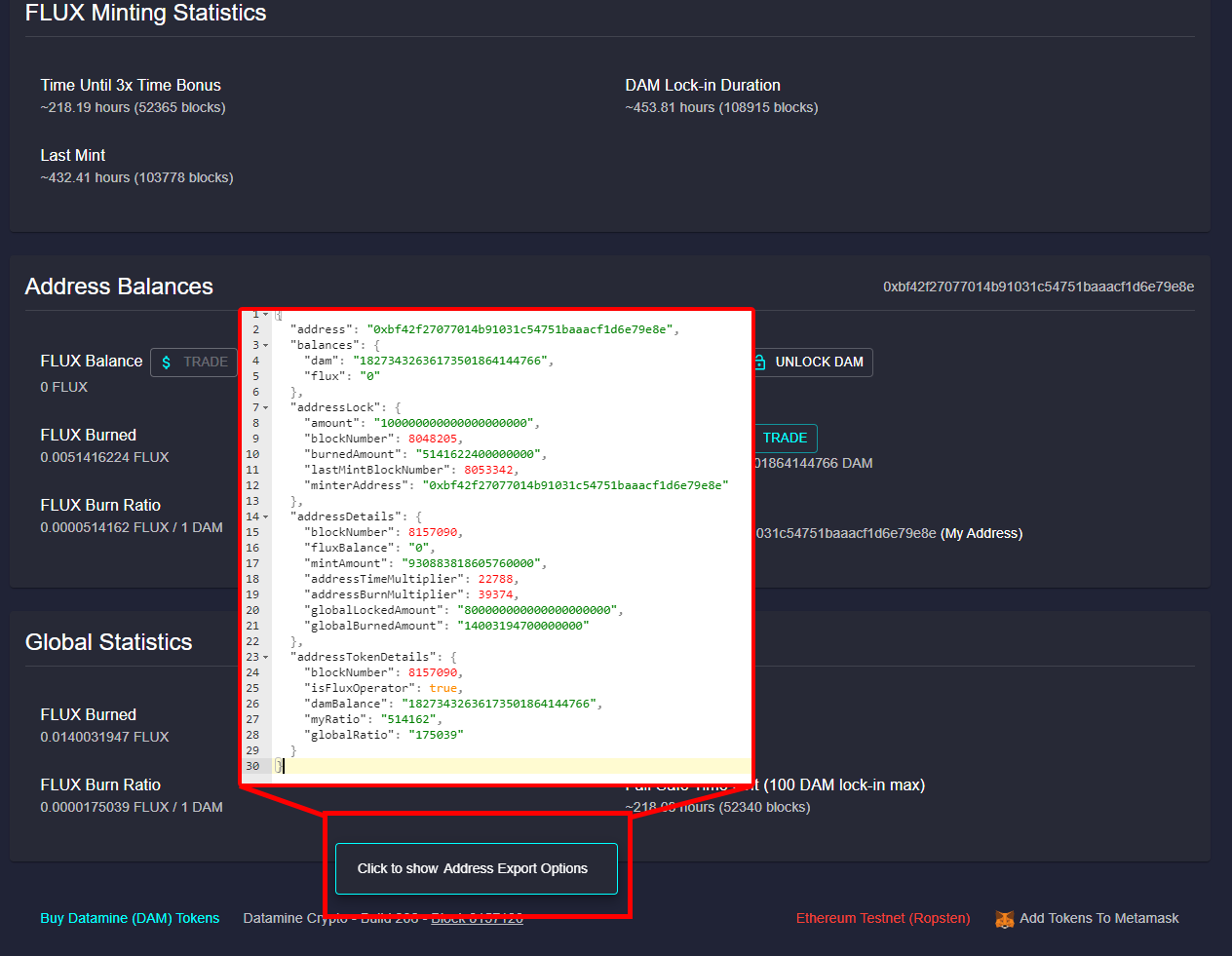
Users can now download data for any dashboard—including their own or other active community members'—by simply clicking the Block number located at the bottom of the page. This action instantly generates a downloadable JSON payload containing the structured dashboard metrics.
Data Formatting Guidelines
To properly parse and utilize the exported JSON data in external spreadsheets or custom analytical tools, developers and community analysts must apply the following formatting conversions:
- Token Amounts: Must be divided by 10^18 to account for standard token decimals.
- Ratios and Multipliers: Must be divided by 10,000 to determine the correct fractional or percentage values.
Please note that this is a temporary placement for the export trigger, and the underlying JSON schema is subject to change as the Datamine Network ecosystem continues to evolve.
Hey guys I know a lot of you want to do your own analytics and calculators. I've added an ability for you to export any dashboard (including dashboards of other users) by simply clicking the "Block" number at the bottom of the page. Please note this is a temporary place for this functionality and the JSON output structure will change in the future.
For now this will allow you to run your own analytics and forecasts without waiting for our realtime analytics network. This feature is live now so you can use the JSON output for any analytics needs 👌
Quick note: amounts must be divided by 10^18 and ratios & multipliers have to be divided by 10000
Frequently Asked Questions
How do I export data from the Datamine Network dashboard?
To export the data, navigate to the dashboard you want to analyze and click on the 'Block' number located at the bottom of the page to trigger the JSON data download.
Can I export data from other validators or users?
Yes, you can export the public dashboard data of any user or validator simply by viewing their dashboard and clicking the 'Block' number.
How do I format the raw numbers inside the exported JSON?
For accurate calculations, divide all raw token amounts by 10^18, and divide any ratios or multipliers by 10,000.
Is the JSON format for the export permanent?
No, this is a temporary implementation. The entry point and JSON output structure will likely change in future updates as the decentralized ecosystem matures.
 · hodlforjesus · #dev-updates